Appointment Management System

Never miss a booking or a customer, even at 3 AM

Online booking, smart reminders and an AI receptionist that answers WhatsApp, website chat and voice on your website, from your own business information.

Free trialNo card required
Live in 15 minutesNo technical setup
WhatsApp bookingBuilt in
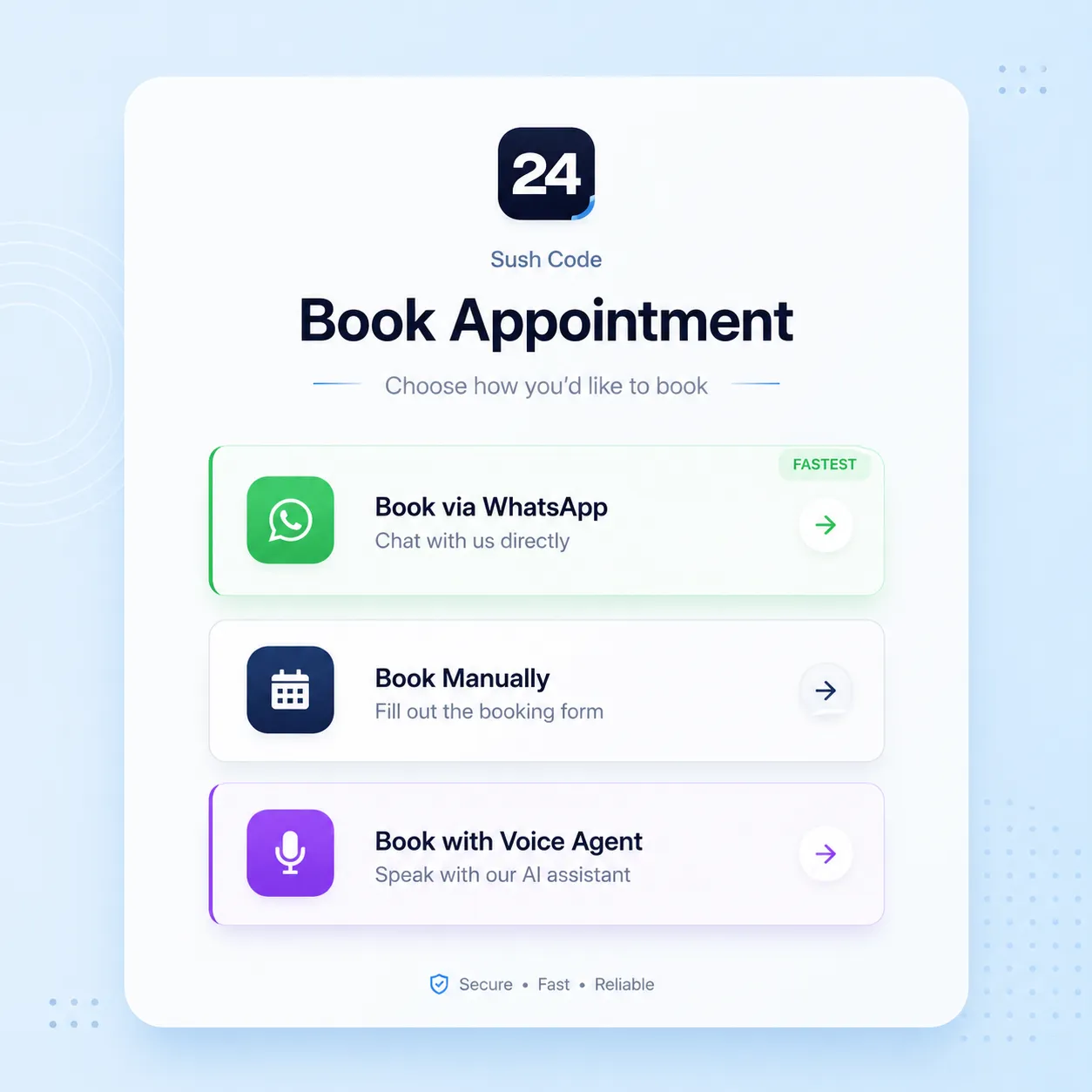
Book an appointment via WhatsApp, the booking form or the AI voice agent
Built for every appointment-based business
Medical Clinics Dental Practices Physiotherapy Beauty Salons Spas & Wellness Yoga Studios Barbershops Veterinary Clinics Tattoo Studios Coaching & Consulting
Booking channels

Four ways to book. One calendar.

Customers book the way they like. Every booking lands in the same calendar, checked against real staff availability.

01

Booking page & QR code

Your own booking link and a QR code for your counter, posters and cards. Book in 3 clicks, no app needed.

  • Your own booking link
  • Printable QR code for counters and posters
  • No app needed, book in 3 clicks
02

WhatsApp AI bot

Customers book in a normal WhatsApp chat. The AI offers free slots and confirms the booking.

  • Books inside a normal chat
  • Offers only really free slots
  • Reminders sent on WhatsApp
03

Website voice agent

Visitors talk to an AI voice agent on your website and book by voice.

  • Talks in a natural voice
  • Checks real staff availability
  • No phone number needed
04

Dashboard & mobile app

Your team adds walk-ins and phone bookings from the dashboard or the mobile app.

  • Add walk-ins and phone bookings
  • Free iOS and Android app
  • Push alert for every new booking
Every module you need

A complete booking system, not just a calendar

Everything an appointment-based business needs, from the first booking to the paid invoice.

Services & pricesName, price, duration and payment type for every service.
Staff & working hoursPer-staff schedules, services, company hours and holidays.
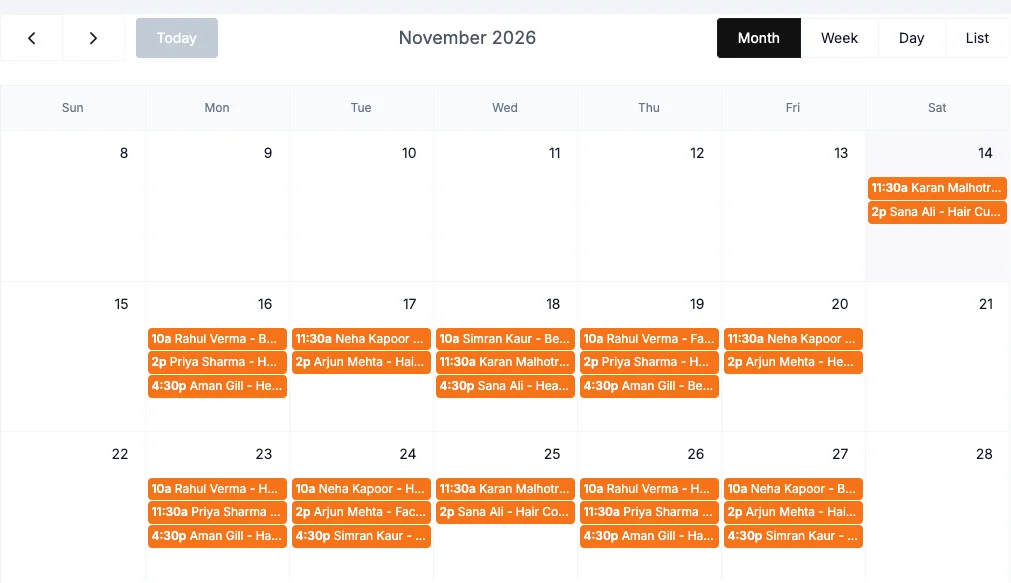
Smart calendarMonth, week, day and list views of every booking.
Group & capacity bookingOne booking per slot, or classes that fill up to a maximum number of guests.
Custom booking fieldsAsk the extra questions you need when customers book.
RemindersAutomatic SMS, email and WhatsApp reminders before every visit.
Status updatesCompleted, cancelled and no-show messages sent to customers.
Invoices & paymentsSend invoices and take payments with Stripe, Razorpay or a payment screenshot.
Customer databaseEvery customer with their booking history, ready for repeat visits.
Customer portalCustomers log in to view and manage their own bookings.
ReportsRevenue and staff performance reports, with PDF download.
AI booking reportsUpload documents to a booking and get an AI summary as a PDF.
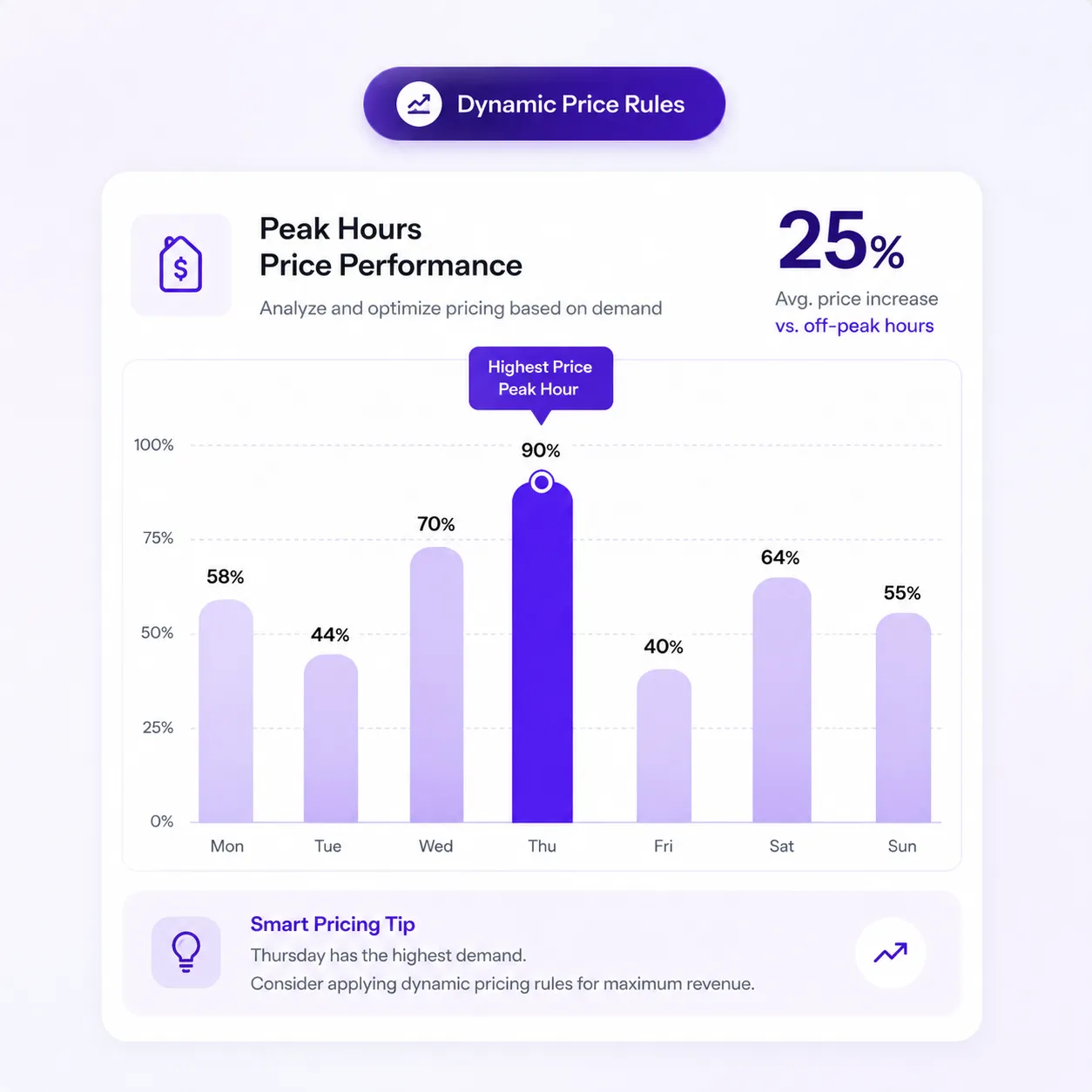
Dynamic price rules: peak hours price performance chart
Smart pricing

Dynamic Price Rules

Automatically adjust service prices based on demand, peak hours, and custom rules.

  1. Peak hoursRaise prices on busy weekday evenings and weekends.
  2. Off-peakLower prices to fill quiet morning slots.
  3. Early birdReward customers who book days in advance.
  4. SurgeAdjust prices for high-demand or last-minute slots.
24Recept appointment calendar with bookings
Google Calendar sync

Every booking appears in your calendar instantly

Connect once. Bookings from the booking page, WhatsApp, the voice agent or the dashboard appear in Google Calendar automatically.

  1. Real-time syncNew bookings show up in Google Calendar within seconds.
  2. Staff calendarsEach staff member connects their own Google Calendar.
  3. No double-bookingOnly free slots of the right staff member are offered.
  4. Works everywhereiOS, Android and desktop, anywhere Google Calendar runs.

Powerful Reporting

Track your revenue, staff and business performance, always in control.

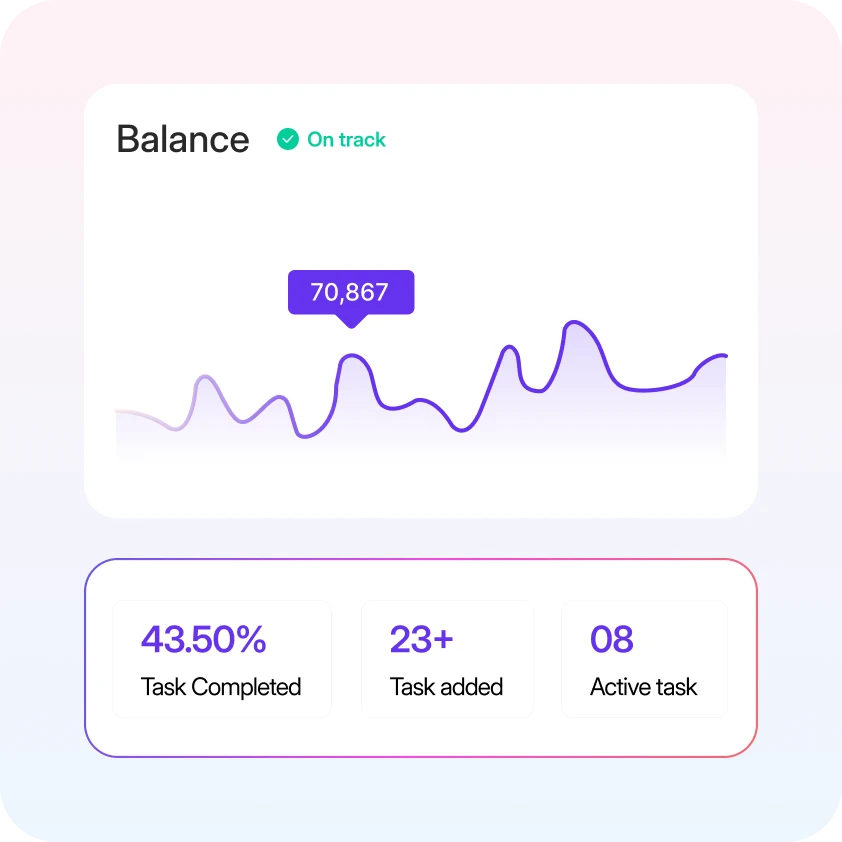
Booking revenue and business performance report

Run your business from your pocket

Manage bookings, chat with customers and track revenue on the go with the 24Recept app, free for Android and iOS.

Book appointments & manage your calendar anywhereInstant push notifications for every new bookingTrack daily revenue and staff schedules on the move
Getting started

From sign up to first booking in under 15 minutes

  1. 1
    Add your servicesSet names, prices and durations for what you offer.
  2. 2
    Set staff & working hoursAdd your team, their hours, services and holidays.
  3. 3
    Share your booking pageSend your link or print your QR code. Customers book 24/7.
  4. 4
    Turn on WhatsApp bookingConnect your WhatsApp number and let the AI book for you.

What businesses say after switching to 24Recept

5.0 Ratings

We stopped missing late-night bookings entirely. The WhatsApp bot handles it all.

Dr. Ananya SharmaOwner, ClearSkin Dermatology Clinic

Peak-hour pricing alone paid for 6 months of subscription in the first week.

Ravi MenonManaging Director, Luxe Hair Studio (4 locations)

Patients scan the QR code at reception and book their next visit themselves. We love it.

Sophie WattsPractice Manager, Align Physiotherapy

Our yoga classes fill up faster because the slot stays open for the whole group. Brilliant.

Priya NairFounder, SoulFlow Yoga Studio

The WhatsApp bot booked 14 appointments while our receptionist was on holiday. Genuinely unreal.

Dr. James OkaforPrincipal Dentist, BrightSmile Dental Practice
24/7Always-on booking availability
40%Increase in rebooking rate after switching from passive booking links
90%Drop in no-shows with automated SMS, email and WhatsApp reminders
22%Average revenue uplift from peak-hour dynamic pricing rules

Appointment management FAQ

What is an appointment management system?

An appointment management system lets customers book online and lets your team manage the schedule in one place: services, staff hours, bookings, reminders, invoices and payments. 24Recept adds booking on WhatsApp and by voice on your website.

How do customers book appointments?

Through your online booking page, a QR code, the WhatsApp AI bot or the voice agent on your website. Your team can also add bookings from the dashboard or the mobile app.

Can I manage staff with different working hours?

Yes. Each staff member has their own working hours, services and holidays, so customers only see slots that are really free.

Does it send appointment reminders?

Yes. Depending on your plan, reminders go out by SMS, email and WhatsApp before each appointment, and customers can get completed, cancelled and no-show updates.

Can I take payments for bookings?

Yes. Send invoices and accept payments with Stripe or Razorpay, or let customers upload a payment screenshot that you verify.

Does it sync with Google Calendar?

Yes. Each staff member can connect their Google Calendar and every new booking appears there automatically.

Can I run group classes?

Yes. Switch to capacity-based booking and a slot stays open until it reaches the maximum number of guests you set.

Is there a free trial?

Yes. You can start with a free trial and no credit card. See the pricing page for current plans.

Start taking bookings today

Set up your booking page, add your team and accept appointments in under 15 minutes. No credit card required.

Start Free Trial